MLA Citation From URL: How to Generate & Check
Understand how URL to MLA citation generators work, how webpage metadata is extracted, and how to verify and fix generated web citations.
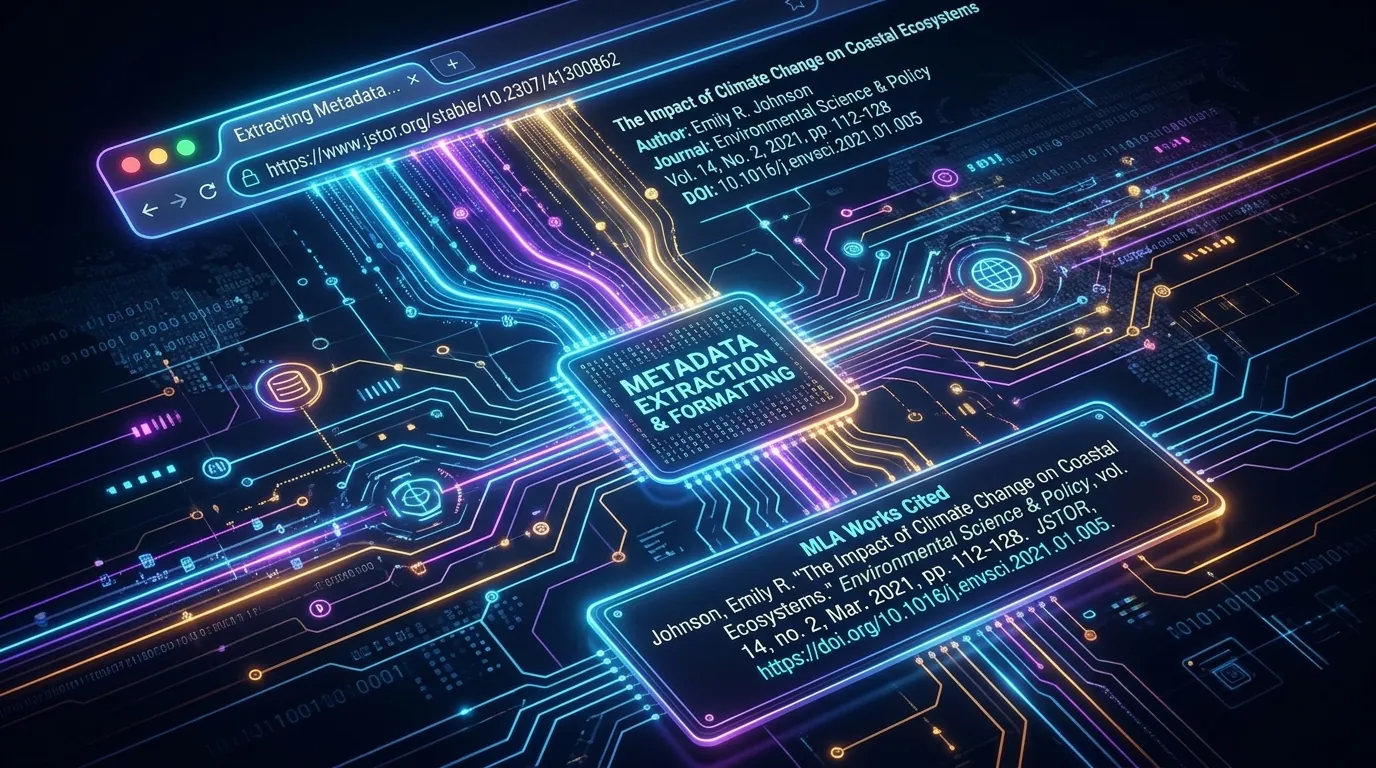
Pasting a link is the quickest way to cite a website. An MLA citation generator from URL grabs details and builds an entry in seconds. But fast doesn’t always mean right. Web pages hide authors, dates, and publishers in odd places. This guide explains how these tools work behind the scenes. You’ll also learn how to check every URL to MLA citation result before it lands on your Works Cited page.
How Does an MLA Citation Generator Extract Information From a URL?
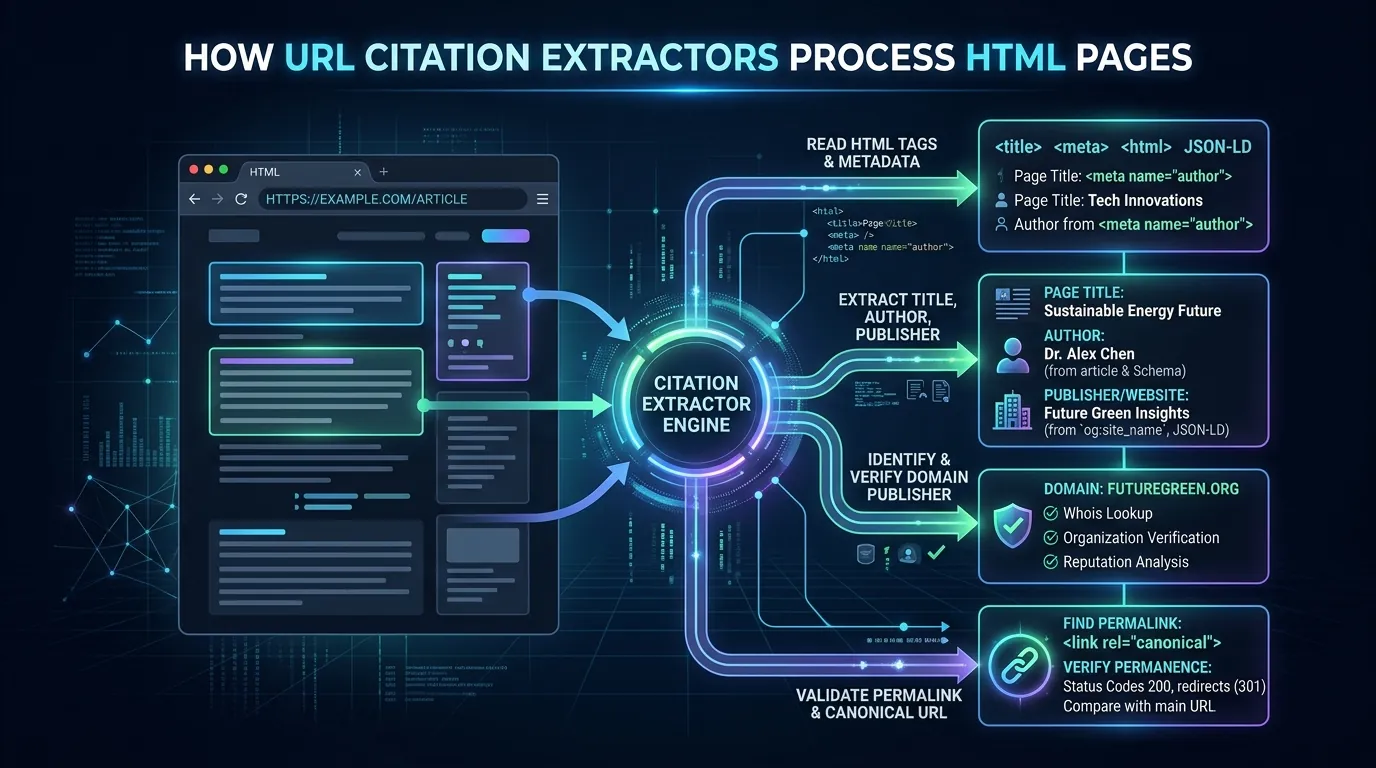
First, the tool visits the page and reads its code. It hunts for webpage metadata, such as title tags, author tags, and date tags. Many sites add this data for search engines and social media previews.
When that data is clean, the entry looks great. When it’s messy, errors creep in. So the tool is only as good as the site’s URL metadata. That’s the key to understanding how URL citation generators work.
What Source Details Can Be Identified From a Webpage Address?
The address itself reveals only a little. The domain name hints at the publisher. A “.gov” ending points to a government agency. An “.edu” ending points to a school.
However, a web address rarely names the author. Dates show up sometimes, mostly in news links. The table below shows where each detail usually comes from.
| Detail | Found in the Address? | Found on the Page? |
|---|---|---|
| Website title | Sometimes | Yes |
| Page title | Sometimes | Yes |
| Author name | Rarely | Often |
| Publication date | Sometimes, in news links | Often |
| Publisher | Hinted by the domain | Usually in the footer |
How Should You Check the Author and Page Title Retrieved From a URL?
Open the page and compare line by line. Is the author name a real person or group? Tools sometimes grab an editor, a photographer, or the site name. Fix that immediately.
Next, inspect the page title. Generators often attach the site name, like “Climate Facts | EarthWatch.” Delete the extra part. Then apply title case. This is how you verify MLA citation from URL results with care.
How to Cite a Webpage in MLA Format Correctly
Here’s a model you can follow:
Ortiz, Maya. “How Wetlands Store Carbon.” EarthWatch, 3 Aug. 2026, [page web address].
It includes the author, page title, website title, date, and location. Use this pattern to cite a webpage in MLA format every time.
What Happens When a URL Leads to a Journal, Database, or Online Article?
Journal and database pages play by different rules. They often carry a DOI. MLA prefers a DOI over a regular web address. So swap in the DOI whenever one exists.
Database links bring another problem. They may contain session codes or school proxy details. Other readers can’t open those. Use a stable link from the database instead. This helps you cite an online article from URL the right way.
How Do You Verify Publication and Website Information From a Web Source?
Look for the publication date near the headline. Some pages also show an update date. Pick the date that matches the version you actually read.
Then find the publisher. Check the footer or the About page. If the publisher’s name matches the website title, leave it out. MLA allows this to avoid repetition. This step keeps your MLA website citation lean and accurate.
What Should You Do When a URL Produces an Incomplete MLA Citation?
Fill the gaps yourself. Scan the page for the author and date. Visit the About page for the publisher. Add an access date if no date exists.
Also reject any “n.d.” or “Anonymous” the tool adds. MLA 9 doesn’t use those placeholders. These quick steps help you fix URL citation errors and check an online MLA citation before submitting.
What Can a URL Tell a Citation Generator—and What Can It Not Tell It?
A web address can guide the tool to a page. It can reveal the domain. Sometimes it even hides a date in its path. That’s helpful, but limited.
Here’s the catch. An address can’t explain context. It doesn’t know whether the page is an article, a video, or a report. It can’t judge trustworthiness either. You still have to read the page yourself. In the end, URL citation accuracy depends on your eyes.
How Should You Handle Dynamic Pages, Redirects, or Unclear Web Addresses?
Dynamic pages change based on searches, filters, or logins. Their addresses often carry long strings of codes. Readers may land somewhere different. Look for a share button or a canonical URL instead.
Redirects create confusion as well. A short link may bounce elsewhere. Always paste the final address. Case study: Picture a college freshman who pastes a shortened link. The generator names the link-shortening service as the publisher. Opening the full page fixes the mistake in seconds.
Using a Permalink for MLA URL Citations
A permalink is a stable address that won’t change later. News sites and databases often provide one. Look for “Share” or “Cite” buttons near the article. Using a permalink keeps your entry working for years, not just weeks.
What Manual Information May Be Needed After Pasting a URL?
Expect to add a few things by hand. You may need the author, date, or publisher. You might add an access date. Often you’ll need to fix title case.
Clean up the address too. MLA lets you drop the “https://” prefix for a tidier look. Also cut tracking codes that follow a question mark. These small edits polish your web citation format nicely.
Conclusion
A link-based generator is a handy first step, but it isn’t the final word. Always review the author, page title, website name, date, and location. Swap in a DOI or permalink whenever you can. Add an access date for undated pages, and trim messy addresses. With this simple routine, any MLA citation generator from URL becomes a reliable partner instead of a risky shortcut.